Where time goes
Press R, or More → “Report R”, to open the report. The tabs are Flat, Top-down, Bottom-up, Modules, Live, Flame, Functions, Code, Inspector and Selection. ?report= opens one of them: flat, top_down, bottom_up, modules, live, flame, functions, code, inspector, selection.
The flame graph is on the home page. Call trees, the live table, selection and the code view are on the features page.
The filter box reads “filter functions”, or “filter modules” on the Modules tab. Escape clears it. I opens Inspector. The trees have Expand all and Collapse all.
Flame graph
Width is inclusive samples. Hover names a bar with its samples and share. Click a bar to highlight that function on the timeline, and click it again to clear. Double-click zooms to that bar’s subtree. Zoom out, or a double-click on the zoomed root, returns to the whole tree.
Top-down and bottom-up
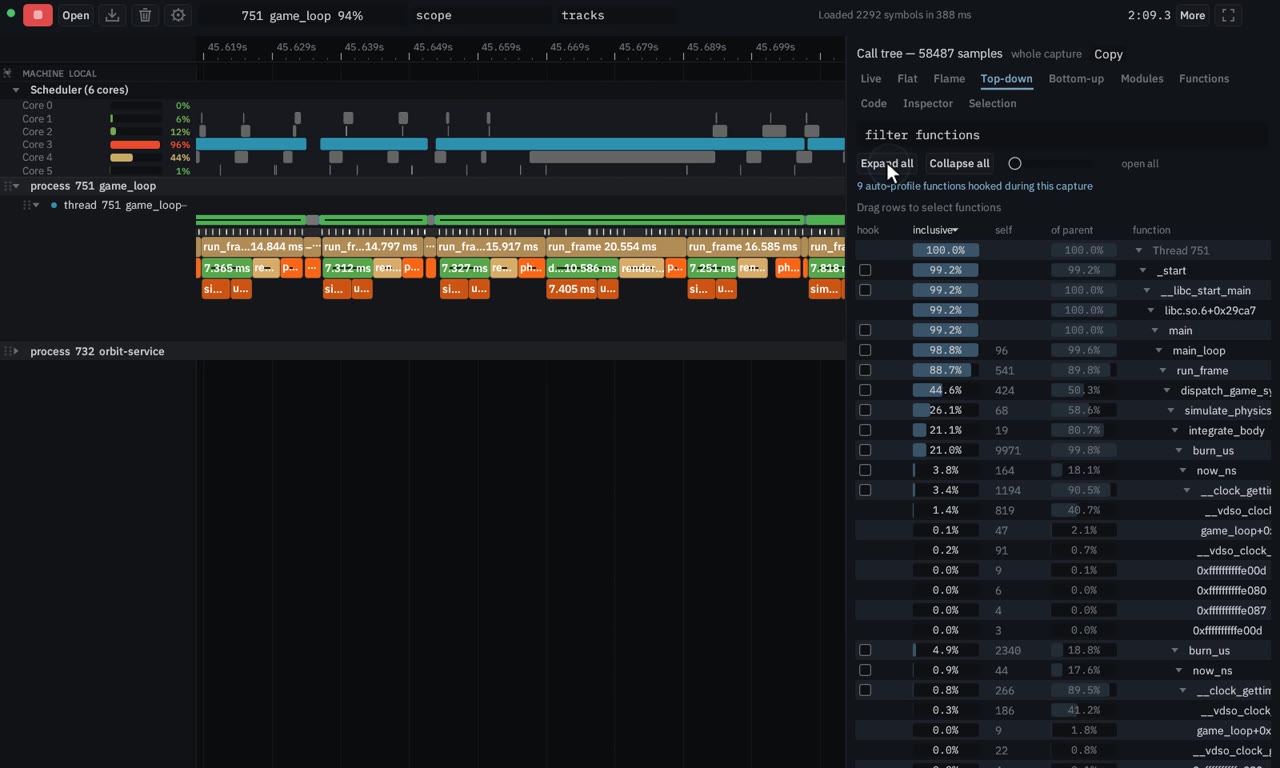
Top-down is the call tree from the root. Each node shows inclusive, self, and of-parent. Bottom-up walks from the hottest leaves back to their callers. Both can expand or collapse every node. Flat is one row per function, with self and inclusive, which answers which function is hot without the tree.
Live table and histograms
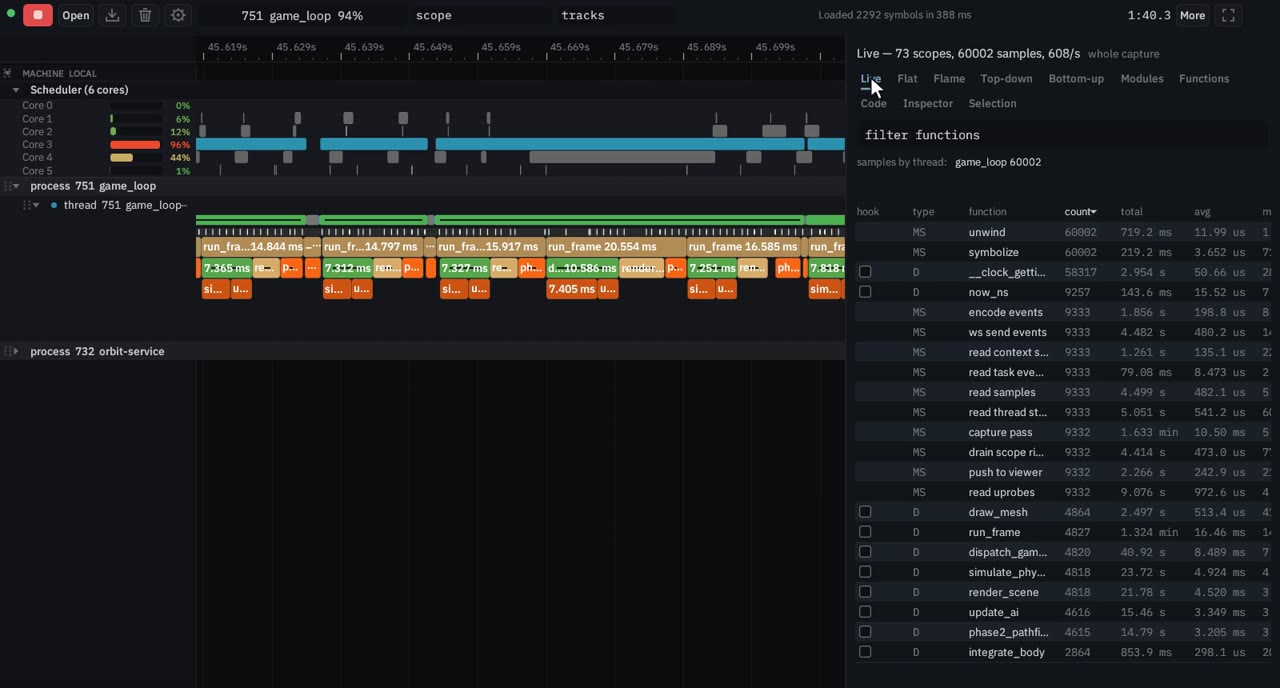
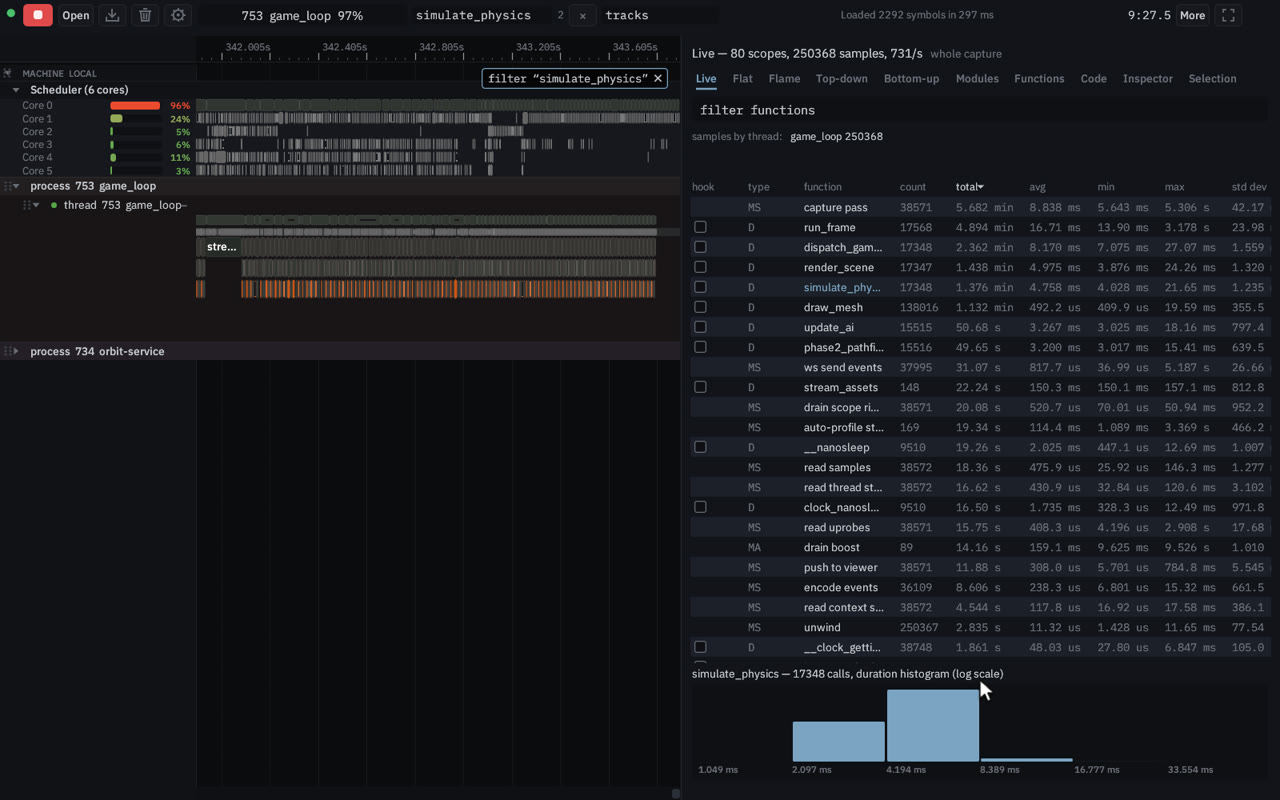
The Live tab updates while events stream in. The columns are hook, type, function, count, total, avg, min, max, std dev and module. The type hover explains D (dynamic, Frida or a uprobe), MS (a manual scope) and MA (a manual async span).
Click a row for its duration histogram, on a log scale, pinned under the table. The hint when nothing is selected: “Click a function above for its duration histogram”. While a capture is running the sort order is held and refreshed once a second, so rows do not trade places every frame. A click on a column header sorts immediately.
Selection report
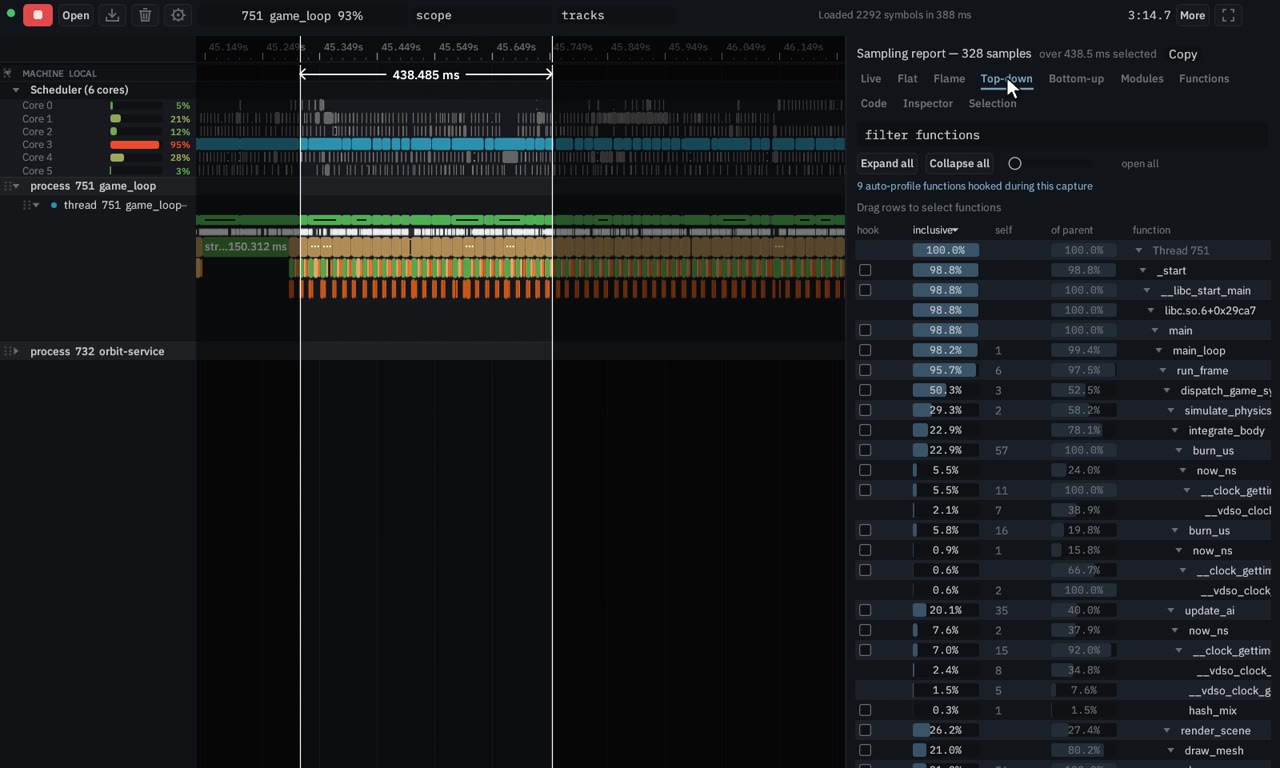
Right-drag a range and the flame graph and the trees recompute for that window, across every thread. Left-drag on one thread’s sample bar limits the report to that thread. Shift adds another range. The Selection tab is that report; More → “Rectangle selection report” opens it too.
The rectangle from Ctrl+drag or ⌘+drag is a different gesture. It gathers scopes (manual scopes and hooked calls, not samples or scheduler slices), shows the summary, and copies the text.
Code view
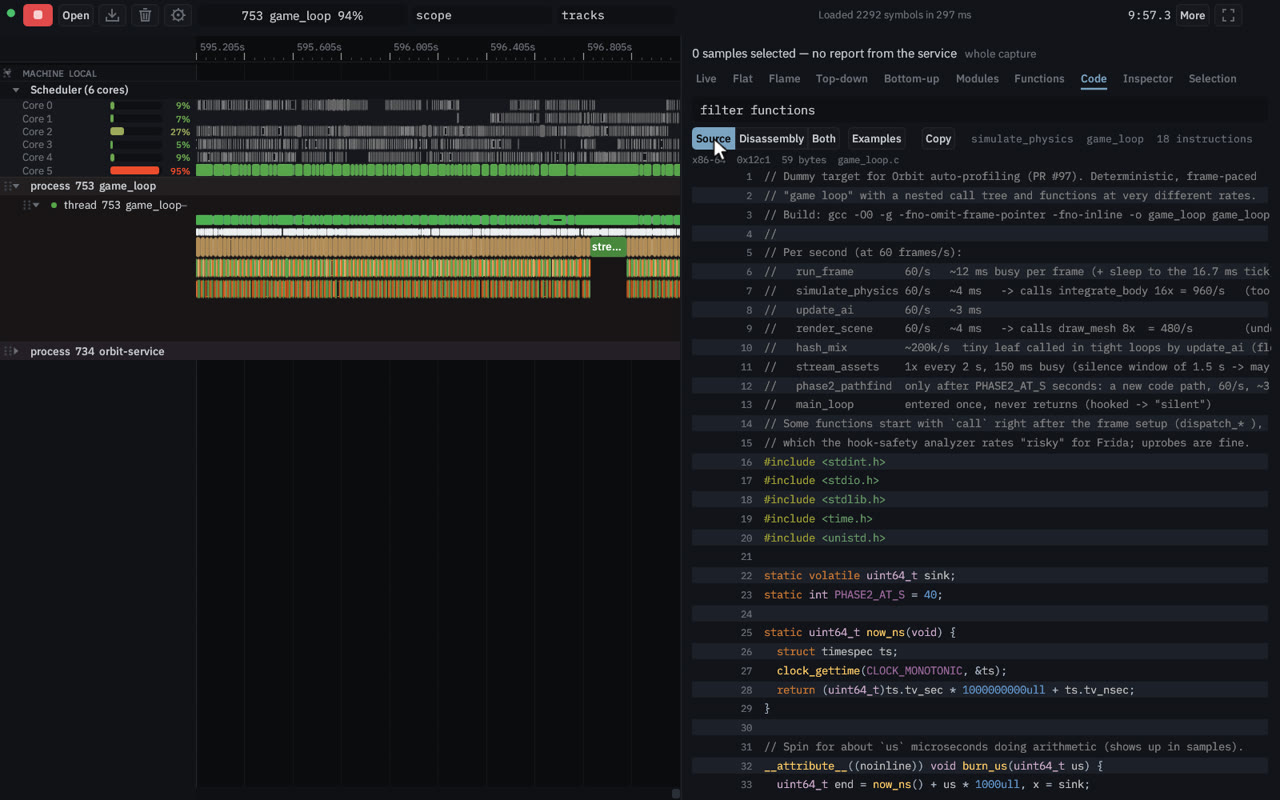
Right-click a function and choose Show disassembly and source. The service disassembles it from the running binary and can interleave the source. The segmented control is Source, Disassembly and Both. Copy copies the whole listing. Examples loads a file when nothing is captured: a Rust file from this repository, a C++ file, or disassembly of a function in the running orbit-service with its source.
Hook from a row
Hook function for dynamic instrumentation adds the function to the hook list. It is not armed until the next Record, and the list still stops at 16 functions. Details are on the Capture page.